Tutorial
Follow these steps to get the most out of the Decode Products Organizer app.
1
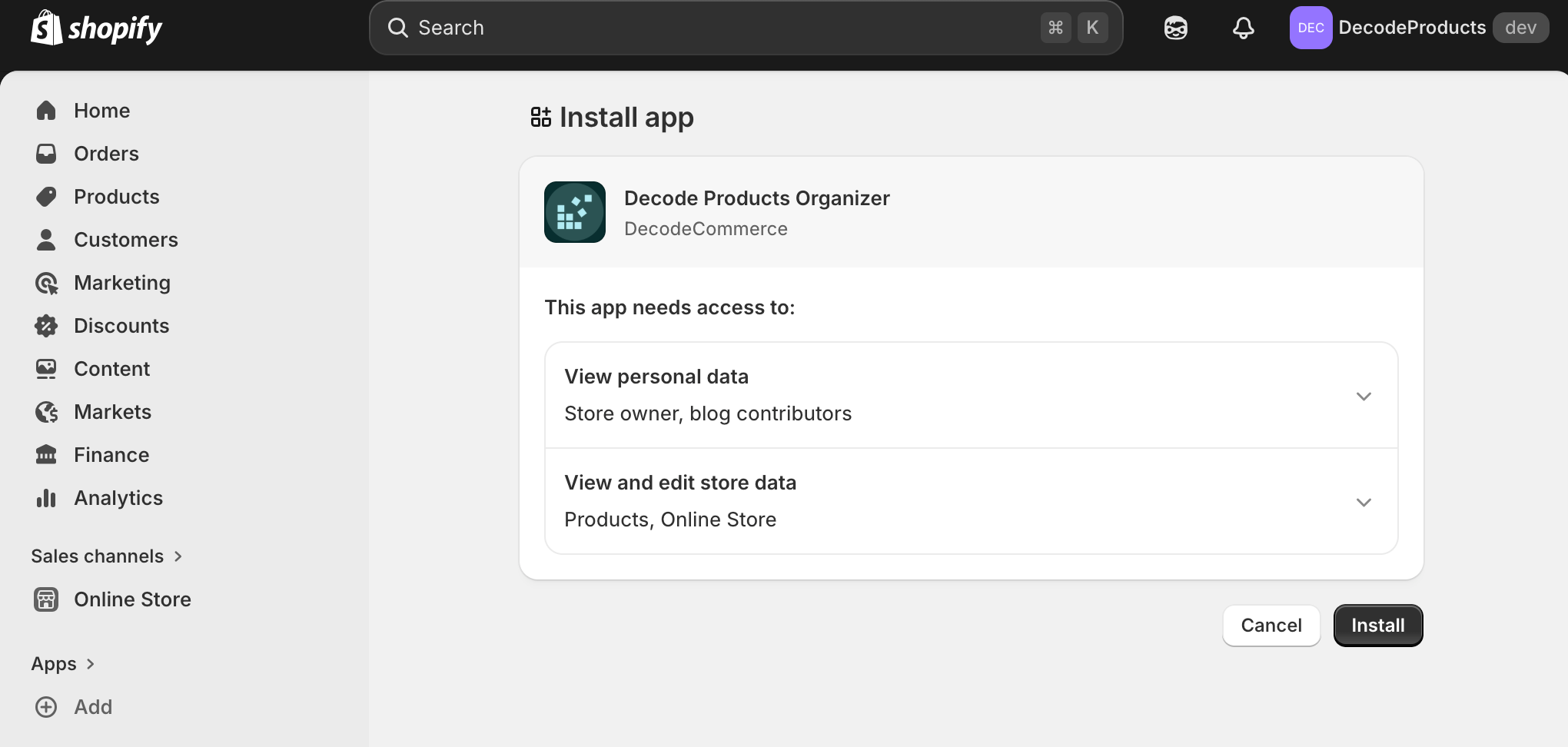
Install the App
Install Decode Products Organizer from Shopify App Store. Authorize the app when prompted.
2
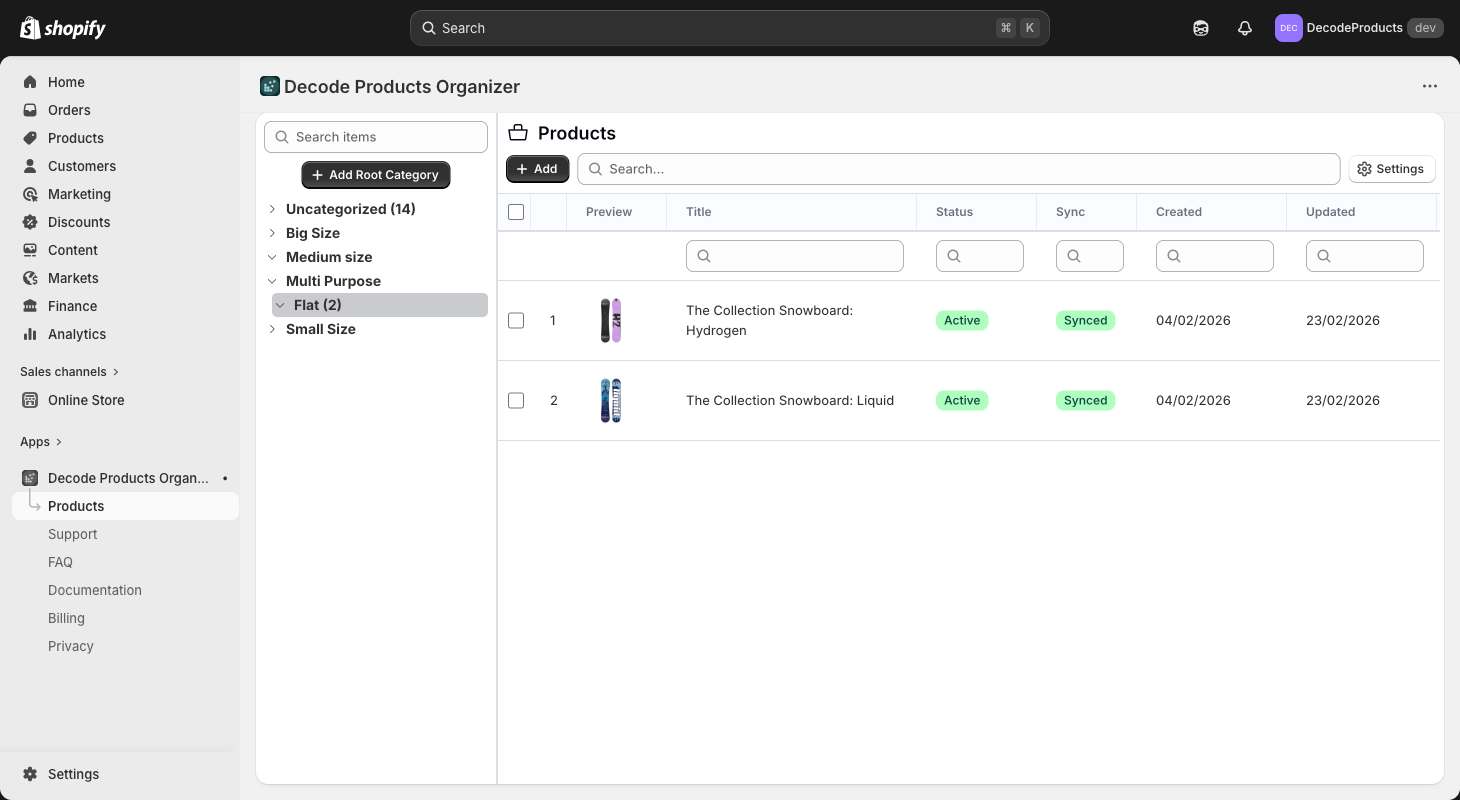
Explore the products table
Open the main products table. In the sidebar, create the categories you want to use for organizing products.
You can try filtering and searching to find products. Click a row to open the detail modal and edit product info.
3
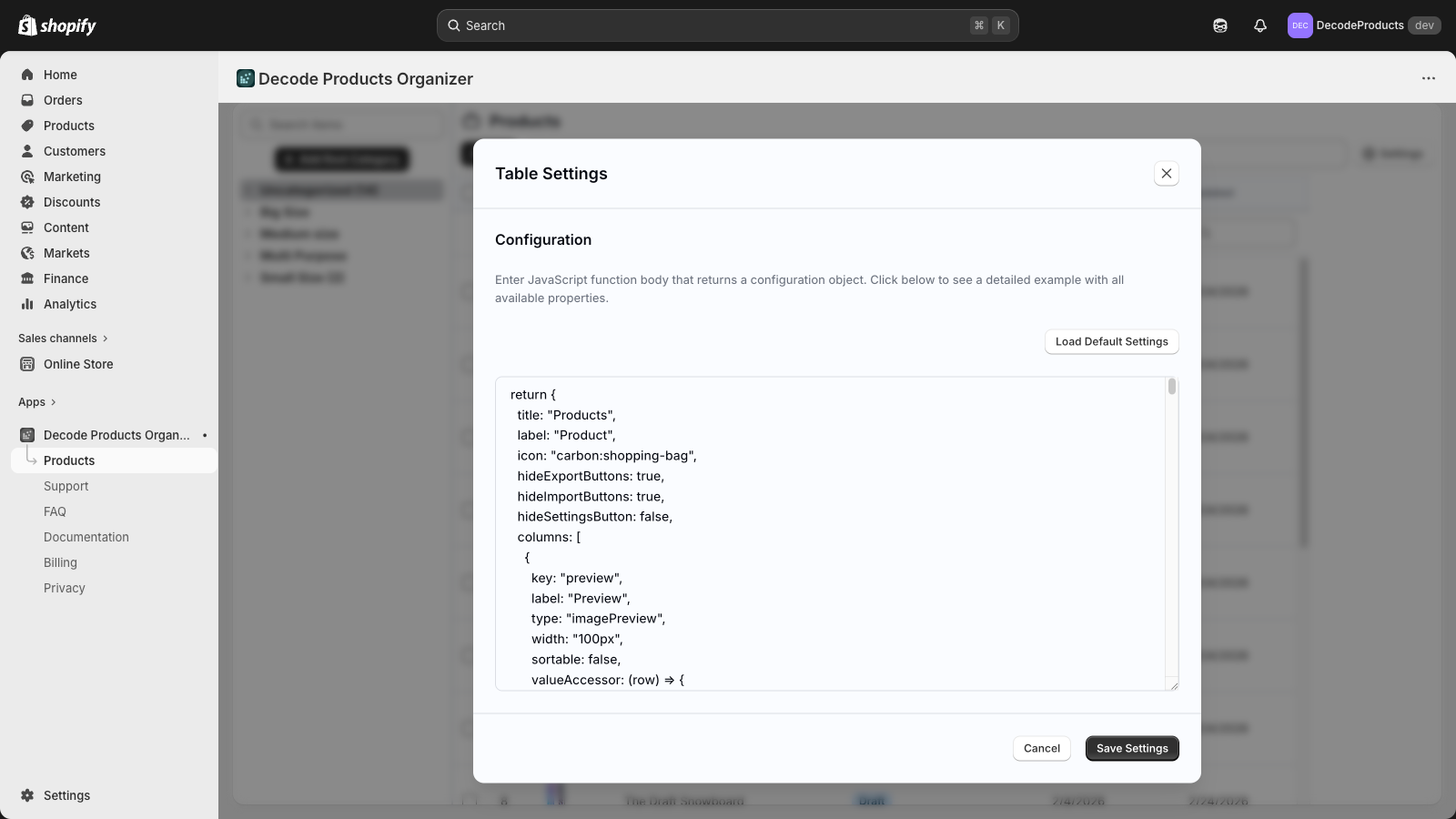
Adjust table settings
Use table settings to choose which columns to show, column order, and default sort. Save your preferences for next time.
All application behavior can be configured from Settings. If you need assistance, please contact support.
4
Create a support request if needed
If you run into issues or have a feature idea, go to the Support page and create a new request. Our team will reply in the same thread.